A unique wonderful tool
The Hybrid-handler is a Bash script and therefore it does not need any installation.
Once cloned the repository, you can simply run the Hybrid-handler script1.
I wanna run the tool NOW – what should I do?
Sure, give it a try, but with awareness 
Reading (part of) the user guide is encouraged not only to get acquainted with how the Hybrid-handler works, but also to discover what it has to offer you. Here in the following you find a very minimal quick-start, that might work out straightforwardly, but that might also fail depending on your setup. Please, refer to the user guide for further information.
The very first steps
$ git clone https://github.com/smash-transport/smash-vhlle-hybrid.git
# some standard output (1)
$ ./smash-vhlle-hybrid/Hybrid-handler
# A nice, colorful report about system requirements (2)
- Git will clone using HTTPS protocol and locally create a
 smash-vhlle-hybrid folder.
  At this point you will discover whether your OS is ready to go. If it is, you will see green version numbers and green ticks
  as in the image shown here below. If you see some red version number or red cross
  , you need to install or update the corresponding requirement.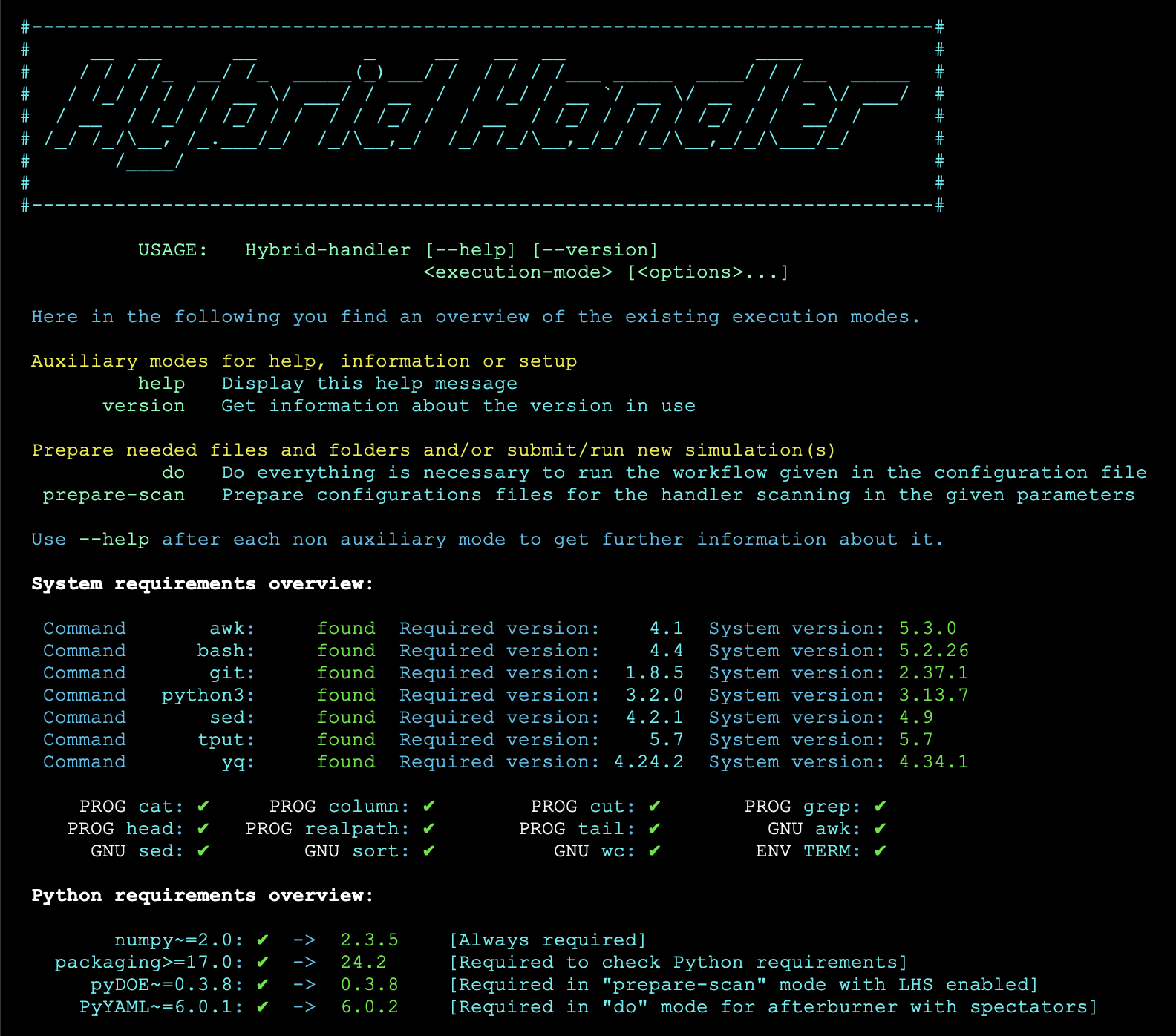
Setting up your run once the OS is ready
# Make sure all the software to be installed is compiled/installed (1)
$ mkdir my-first-hybrid-run
$ cp smash-vhlle-hybrid/configs/predef_configs/config_TEST.yaml my-first-hybrid-run/hybrid.yaml
$ cd my-first-hybrid-run
$ SMASH_EXE='/path/to/smash'; HYDRO_EXE='/path/to/vHLLE'; SAMPLER_EXE='/path/to/hadron-sampler' # (2)!
$ sed -i -e "s|/path/to/smash|${SMASH_EXE}|g" -e "s|/path/to/vHLLE|${HYDRO_EXE}|g" -e "s|/path/to/hadron-sampler|${SAMPLER_EXE}|g" hybrid.yaml
# Optionally check that the replacement has happened correctly
$ grep 'Executable:' hybrid.yaml # (3)!
 You will need to hand over the path to each executable to the Hybrid-handler through its configuration file, which we are setting up next.
 You need to replace these three paths to the actual three paths to your software
 Alternatively to run these two highlighted lines, you can simply open the hybrid.yaml file and specify the paths there by hand at the 4
 Executable:keys.- This should print the four executable paths in the
IC,Hydro,Sampler,Afterburnerorder.
Running everything!
# From your my-first-hybrid-run folder
$ ../smash-vhlle-hybrid/Hybrid-handler do -c hybrid.yaml --id Test_Run
# The Hybrid-handler output will be displayed here (1)
- If everything succeeds a Test_Run will be created and inside it a dedicated folder per stage will contain among other files the output of that stage.

User guide table of content
-
Are you ready to go?
Software for the desired simulation stages as well as some OS utilities need to be installed.
-
 What's the main idea?
Everything can be done using a handy script with different execution modes.
-
 Wanna run?
Build your configuration file to use the Hybrid-handler according to your needs.
-
Let's try it out!
If you want to make a test run or get inspired, predefined setups are available.
-
Changing parameters
Preparing simulations scanning over one or more parameters is straightforward.
-
 Notable changes
Check out the CHANGELOG to get insights on the changes between versions.
-
 Questions?
Check out our FAQ section. If needed, feel free to open an issue in the codebase repository.
-
 Run it in a Docker container
Check out our Ubuntu-based Docker image to install software and use the handler.
-
Be aware, that this might not work straightaway if only a very old Bash installation is available on your OS. However, if your Bash version is
4.xor higher, the main script will be able to give you a complete overview of system requirements. ↩